Build multi-platform apps in Python. No frontend experience required.





 Single code base for any device
Your app will equally look great on iOS, Android, Windows, Linux, macOS and web.
###
Single code base for any device
Your app will equally look great on iOS, Android, Windows, Linux, macOS and web.
###  Build an entire app in Python
Build a cross-platform app without knowledge of Dart, Swift, Kotlin, HTML or JavaScript - only Python!
###
Build an entire app in Python
Build a cross-platform app without knowledge of Dart, Swift, Kotlin, HTML or JavaScript - only Python!
###  150+ built-in controls and services
Beautiful UI widgets with Material and Cupertino design: layout, navigation, dialogs, charts - Flet uses Flutter to render UI.
###
150+ built-in controls and services
Beautiful UI widgets with Material and Cupertino design: layout, navigation, dialogs, charts - Flet uses Flutter to render UI.
###  50+ Python packages for iOS and Android
Numpy, pandas, pydantic, cryptography, opencv, pillow and other popular libraries.
###
50+ Python packages for iOS and Android
Numpy, pandas, pydantic, cryptography, opencv, pillow and other popular libraries.
###  Full web support
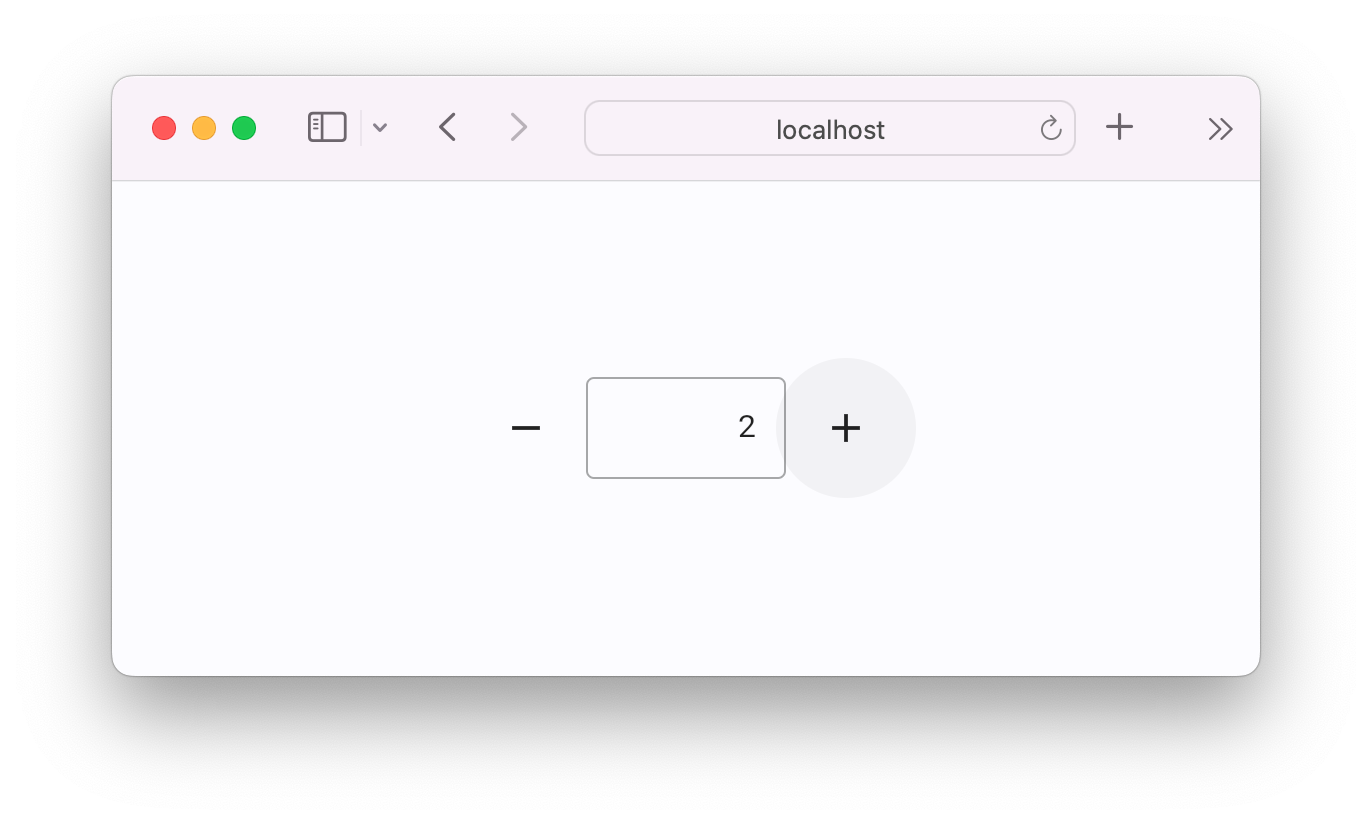
Flet apps run natively in modern browsers using WebAssembly and Pyodide, with no server required. Prefer server-side? Deploy as a Python web app with real-time UI updates.
###
Full web support
Flet apps run natively in modern browsers using WebAssembly and Pyodide, with no server required. Prefer server-side? Deploy as a Python web app with real-time UI updates.
###  Built-in packaging
Build standalone executables or bundles for iOS, Android, Windows, Linux, macOS and web. Instantly deploy to App Store and Google Play.
###
Built-in packaging
Build standalone executables or bundles for iOS, Android, Windows, Linux, macOS and web. Instantly deploy to App Store and Google Play.
###  Test on iOS and Android
Test your project on your own mobile device with Flet App. See your app updates as you make changes.
###
Test on iOS and Android
Test your project on your own mobile device with Flet App. See your app updates as you make changes.
###  Extensible
Easily wrap any of thousands of Flutter packages to use with Flet or build new controls in pure Python using built-in UI primitives.
###
Extensible
Easily wrap any of thousands of Flutter packages to use with Flet or build new controls in pure Python using built-in UI primitives.
###  Accessible
Flet is built with Flutter which has solid accessibility foundations on Android, iOS, web, and desktop.
## Flet app example
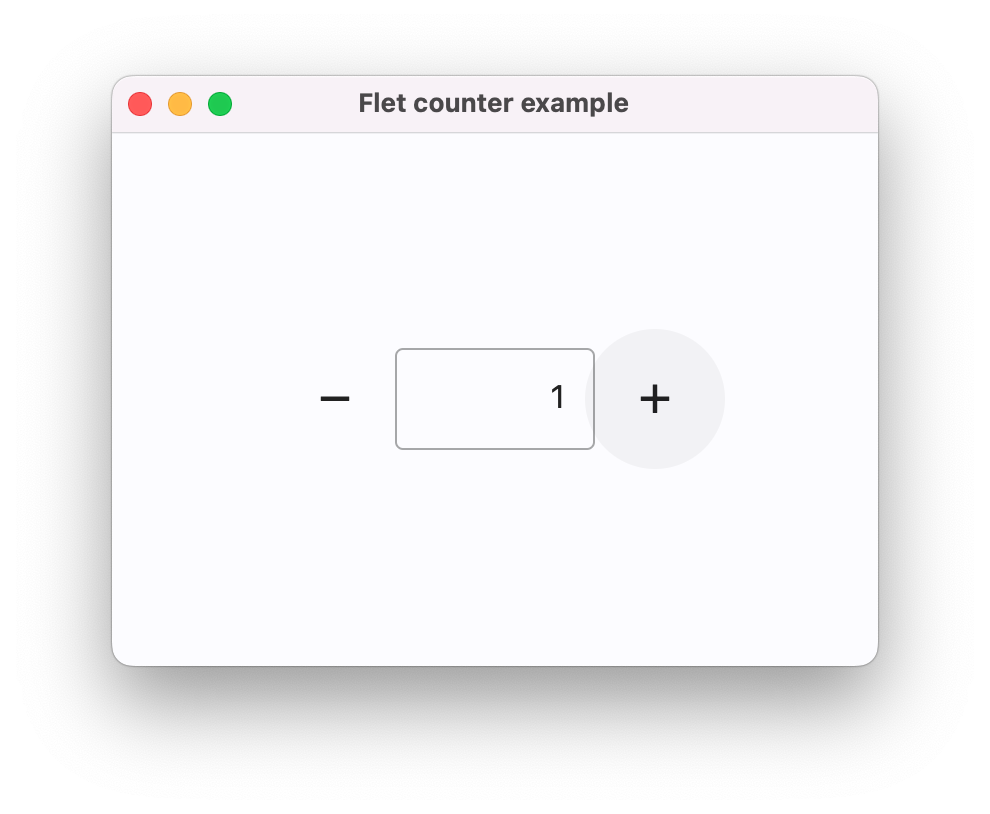
Below is a simple "Counter" app, with a text field and two buttons to increment and decrement the counter value:
```python title="counter.py"
import flet as ft
def main(page: ft.Page):
page.title = "Flet counter example"
page.vertical_alignment = ft.MainAxisAlignment.CENTER
input = ft.TextField(value="0", text_align=ft.TextAlign.RIGHT, width=100)
def minus_click(e):
input.value = str(int(input.value) - 1)
def plus_click(e):
input.value = str(int(input.value) + 1)
page.add(
ft.Row(
alignment=ft.MainAxisAlignment.CENTER,
controls=[
ft.IconButton(ft.Icons.REMOVE, on_click=minus_click),
input,
ft.IconButton(ft.Icons.ADD, on_click=plus_click),
],
)
)
ft.run(main)
```
To run the app, install `flet`:
```bash
pip install 'flet[all]'
```
then launch the app:
```bash
flet run counter.py
```
This will open the app in a native OS window - what a nice alternative to Electron! 🙂
Accessible
Flet is built with Flutter which has solid accessibility foundations on Android, iOS, web, and desktop.
## Flet app example
Below is a simple "Counter" app, with a text field and two buttons to increment and decrement the counter value:
```python title="counter.py"
import flet as ft
def main(page: ft.Page):
page.title = "Flet counter example"
page.vertical_alignment = ft.MainAxisAlignment.CENTER
input = ft.TextField(value="0", text_align=ft.TextAlign.RIGHT, width=100)
def minus_click(e):
input.value = str(int(input.value) - 1)
def plus_click(e):
input.value = str(int(input.value) + 1)
page.add(
ft.Row(
alignment=ft.MainAxisAlignment.CENTER,
controls=[
ft.IconButton(ft.Icons.REMOVE, on_click=minus_click),
input,
ft.IconButton(ft.Icons.ADD, on_click=plus_click),
],
)
)
ft.run(main)
```
To run the app, install `flet`:
```bash
pip install 'flet[all]'
```
then launch the app:
```bash
flet run counter.py
```
This will open the app in a native OS window - what a nice alternative to Electron! 🙂